Linux disk encryption LUKS
Use LUKS2 with cryptsetup for native Linux block-device encryption. Most distributions expose it during installation, which is safer than converting an active root disk later.
LUKS is the standard way to protect Linux disks at rest, cryptsetup is the management tool, and dm-crypt performs the block-level encryption in the kernel. This guide explains how the layers fit together, how to configure them without gambling with your data, and when file-level or hardware encryption is a better fit.
For most Linux laptops and workstations, choose LUKS2 full-disk encryption during operating-system installation. Use a long passphrase, keep an offline header backup and recovery record, and verify the active mapping with cryptsetup status. Use fscrypt when only selected directories need protection. Do not reformat a live disk unless you have tested backups.
LUKS is not the encryption engine itself. It is a standardized disk format that stores metadata, key slots and the information needed to unlock an encrypted volume. The Linux kernel’s dm-crypt target encrypts and decrypts sectors as they pass between a mapped device and physical storage. The cryptsetup command-line tool creates, opens, closes and inspects those volumes.
This separation explains why commands such as cryptsetup open create a device under /dev/mapper/. Applications and filesystems use the mapped device; dm-crypt transparently handles data below it.
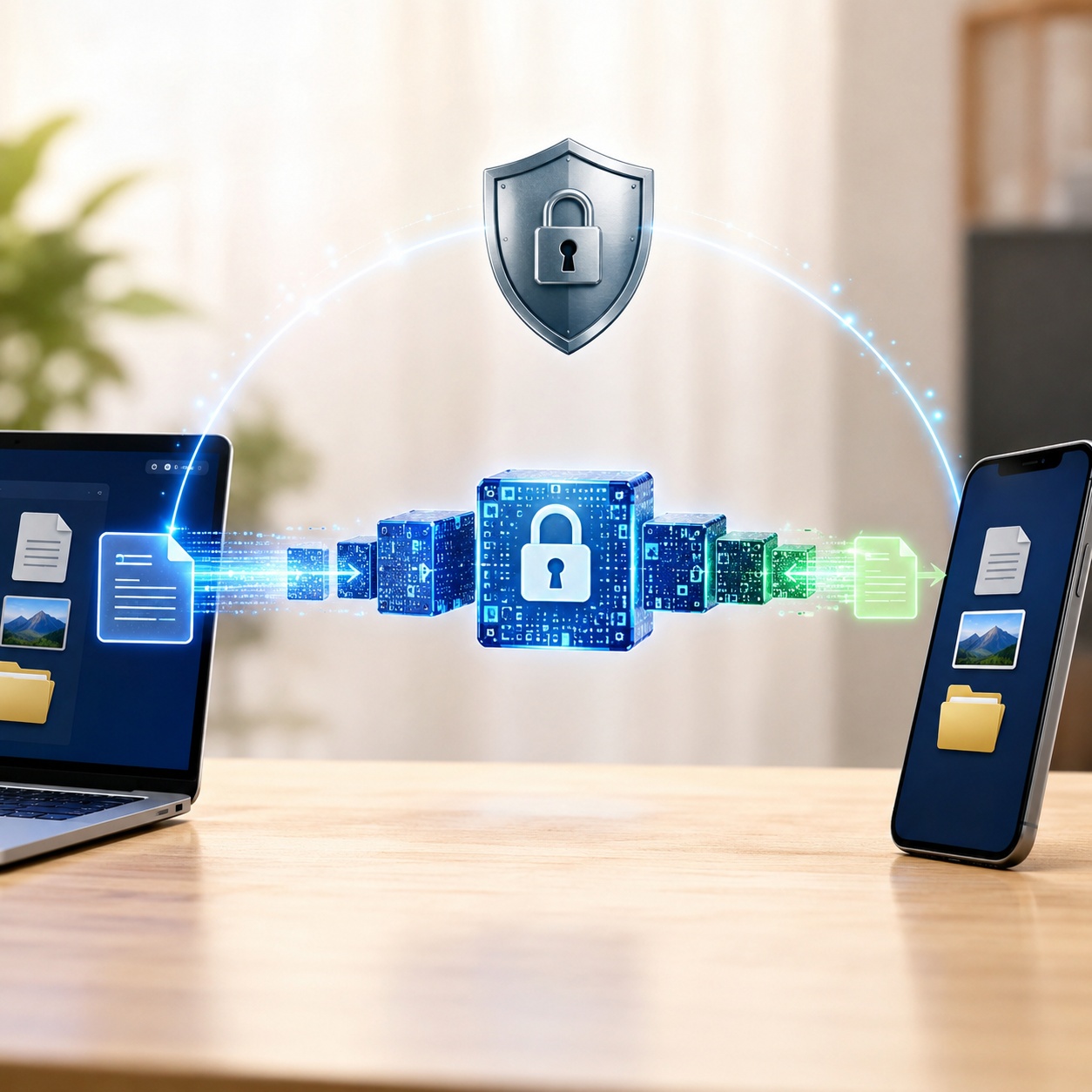
Use LUKS2 with cryptsetup for native Linux block-device encryption. Most distributions expose it during installation, which is safer than converting an active root disk later.
The usual stack is a physical partition, a LUKS container, a dm-crypt mapping and then a filesystem. Logical Volume Manager can sit above or below the encrypted layer depending on the installer design.
BitLocker, FileVault and LUKS all protect data at rest, but they use different formats, boot integration and key-management systems. They are comparable security categories, not interchangeable containers.
For a Linux system disk, the strongest default is usually the distribution’s built-in LUKS2 installer. For selected directories, consider fscrypt. For cross-platform containers, evaluate VeraCrypt separately.
Back up your data, use the distribution installer’s encrypted-disk option, save the recovery information offline, and verify the mapping after first boot.
Go to the setup walkthrough →Select the closest scenario. The recommendation appears below the cards.
Choose the data location and threat you care about. The result is a starting point, not a substitute for a tested recovery plan.
Disk encryption protects data at rest, such as a powered-off laptop or removed drive. Once the volume is unlocked, applications and logged-in users may read files according to normal permissions.
Transport encryption protects data in transit, such as HTTPS, SSH or a VPN. It does not replace disk encryption, and disk encryption does not secure a file after it is sent through an untrusted channel.
Check every statement that is true. A higher score means an attacker with physical access has a clearer path to your data.
0/100: Low measured exposure. Complete the checklist for a more useful result.
This is an educational score. It does not test malware, account security, firmware, backups or operational controls.
The right method depends on scope, platform support, threat model and recovery needs. Full-disk encryption is not automatically better when only a shared folder or portable client package needs protection.
LUKS2 is the normal choice for full disk encryption on modern Linux systems. It supports multiple key slots, flexible metadata, stronger password-based key derivation choices and features that installers can integrate with Secure Boot, TPM-backed unlocking or recovery keys.
Best for: Linux laptops, workstations, servers and removable drives that will stay in Linux environments. Not ideal for: a USB drive that must open on unmanaged Windows or macOS computers.
fscrypt provides native directory-level encryption for supported filesystems such as ext4 and f2fs. It is useful when different users or services need independent protected directories while the rest of the filesystem stays unencrypted.
Because encryption happens at the filesystem layer, some metadata such as directory structure, file counts, ownership or approximate sizes may remain observable depending on the filesystem and policy. It also requires careful integration with user login and backup workflows.
eCryptfs is a stacked cryptographic filesystem used by older encrypted-home deployments. It remains relevant when maintaining or recovering an existing installation, but it is generally not the first choice for a new Linux encryption design.
For a new system, prefer install-time LUKS2 for full-disk protection or fscrypt for supported directory-level use cases. Before migrating an old eCryptfs home, confirm the wrapped passphrase and create an independent backup.
LUKS is better integrated with Linux boot and storage management. VeraCrypt is useful when an encrypted container or removable volume must be opened on Linux, Windows and macOS. On Linux, VeraCrypt system encryption is not the normal replacement for installer-managed LUKS root encryption.
VeraCrypt also offers hidden volumes for plausible deniability. That design can reduce certainty that a second volume exists, but it does not guarantee deniability against forensic, legal or operational evidence. Hidden volumes also create a real risk of overwriting hidden data if used incorrectly.
Self-encrypting drives and hardware-encrypted USB devices can offload cryptographic work and offer keypad, biometric or centrally managed unlock options. The security outcome depends heavily on the controller, firmware, validation, recovery model and how keys are provisioned.
Software encryption such as LUKS is easier to inspect, update and standardize across ordinary drives. Modern CPUs commonly accelerate AES, so the performance difference may be small for typical laptop workloads. Hardware encryption is most compelling when independent certification, physical controls or platform-neutral unlock is required.
LUKS, cryptsetup and fscrypt are open-source components and are sufficient for many Linux deployments. Paying for software makes sense when you need a supported cross-platform workflow, centralized policy, audited hardware, end-user training or a commercial recovery and support channel.
Price does not make an encryption design stronger by itself. Evaluate where keys live, how recovery works, whether the implementation is maintained, what metadata remains visible and whether the product supports the exact operating systems in your environment.
luksFormat destroys access to existing data. The examples below use the placeholder /dev/sdX1. Never paste a device command until you have identified the correct target, unmounted it and verified a restorable backup.For a system disk, use your distribution installer’s encrypted-disk option. It can create the boot, LUKS, logical-volume and filesystem layout consistently. This is the recommended answer for Linux Mint full disk encryption after install too: back up, reinstall with encryption, then restore data rather than attempting an improvised in-place conversion.
List block devices, filesystems, mount points and sizes. Cross-check the device model and capacity. Stop when any detail is uncertain.
lsblk -o NAME,PATH,SIZE,FSTYPE,TYPE,MOUNTPOINTS,MODEL
sudo blkidAfter confirming that the target is unmounted and disposable, format it as LUKS2. Let cryptsetup select safe distribution defaults unless your documented compatibility or compliance profile requires explicit parameters.
# DESTRUCTIVE EXAMPLE. Replace only after verification.
sudo cryptsetup luksFormat --type luks2 /dev/sdX1cryptsetup open and cryptsetup luksOpen are equivalent forms for a LUKS device. The shorter open syntax is preferred in current documentation.
sudo cryptsetup open /dev/sdX1 secure_data
# Equivalent legacy-style form:
sudo cryptsetup luksOpen /dev/sdX1 secure_dataThe filesystem belongs on the decrypted mapper device, not directly on the LUKS partition.
sudo mkfs.ext4 /dev/mapper/secure_data
sudo mkdir -p /mnt/secure_data
sudo mount /dev/mapper/secure_data /mnt/secure_dataApplications must stop using the mount point before the mapping can close.
sudo umount /mnt/secure_data
sudo cryptsetup close secure_data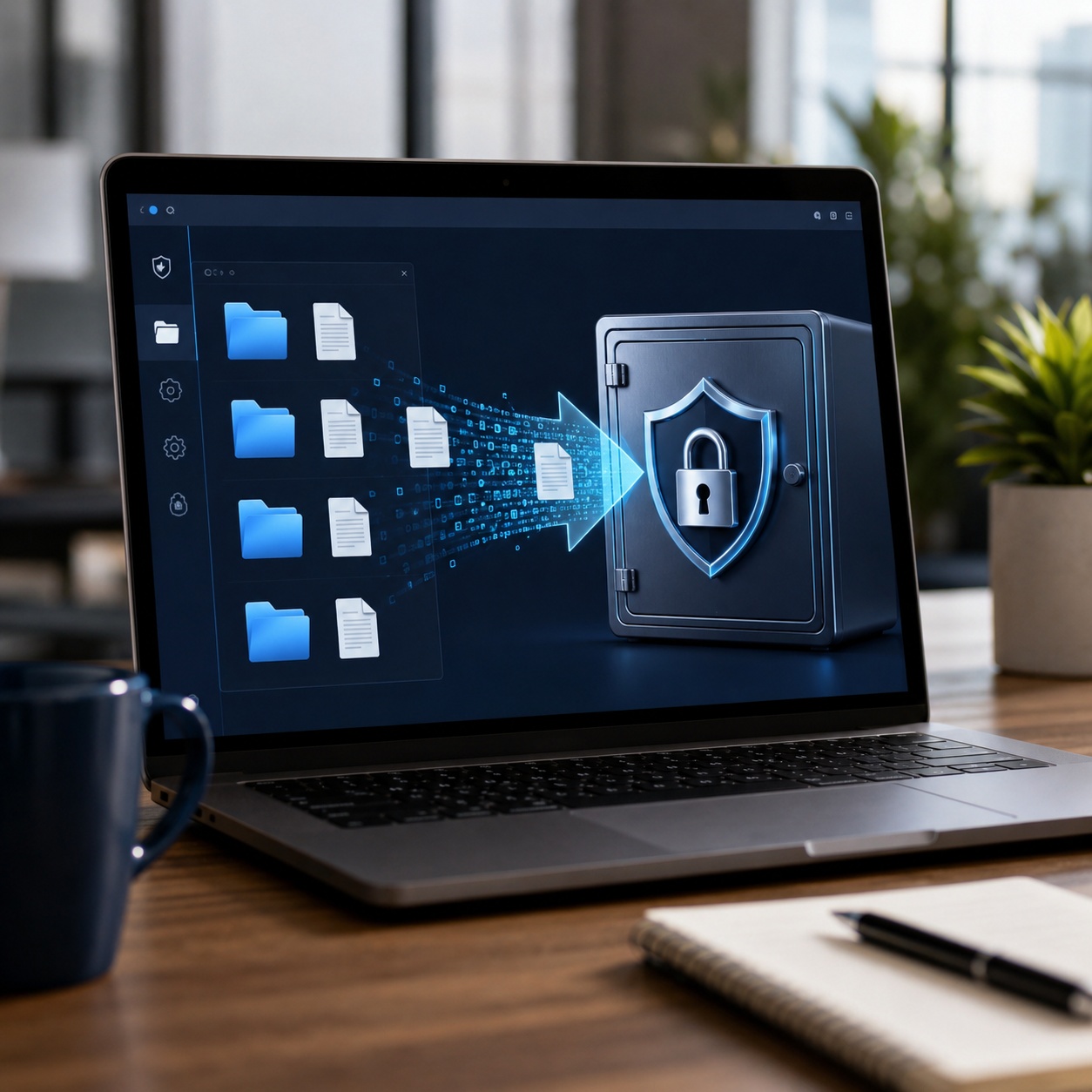
Use several independent checks. A LUKS header proves the partition is formatted as LUKS; an active mapper status proves it is currently open; the mount table shows which filesystem is using that mapping.
# Confirm the on-disk LUKS format
sudo cryptsetup isLuks /dev/sdX1 && echo "LUKS detected"

# Inspect metadata without exposing key material
sudo cryptsetup luksDump /dev/sdX1

# Inspect an open mapping
sudo cryptsetup status secure_data

# Trace filesystems and mappings
lsblk -f
findmnt /mnt/secure_datacryptsetup isLuks exits successfully.luksDump reports Version 2 for a LUKS2 volume and shows enabled key slots.cryptsetup status reports the mapping as active and identifies a crypt target.lsblk shows a crypt child device with the filesystem mounted from the mapper path.Changing a LUKS passphrase normally updates a key slot that protects the volume’s master key. It does not re-encrypt every data block. Before changing anything, confirm that at least one known-good unlock method works and make a current header backup.
# Review slots first
sudo cryptsetup luksDump /dev/sdX1

# Change the passphrase in a selected slot
sudo cryptsetup luksChangeKey /dev/sdX1

# Or add a new passphrase before removing the old one
sudo cryptsetup luksAddKey /dev/sdX1
sudo cryptsetup luksRemoveKey /dev/sdX1
Adding and testing a new key before removing an old one is usually safer than a one-step replacement. Never remove the final working key slot. A forgotten passphrase cannot be recovered from the ciphertext unless another valid key slot, recovery key or external key escrow exists.
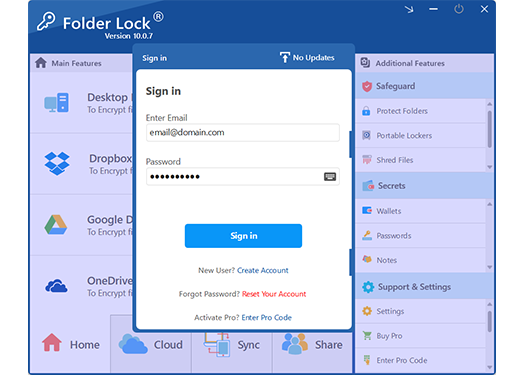
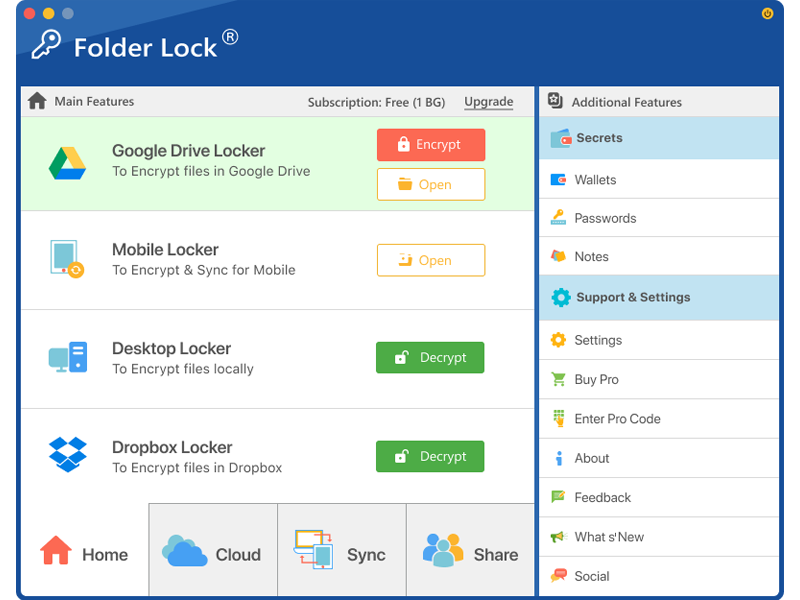
The supplied product material describes Folder Lock 10 for Windows and macOS, with companion apps for Android and iOS. It does not identify a native Linux edition, so it should not be presented as a replacement for LUKS, cryptsetup or dm-crypt.
Its useful role is narrower: an app-managed encrypted workspace for files that need a graphical workflow, cloud-linked copies or access from supported phones and computers. Linux boot volumes, swap, system logs and unattended server storage still belong under native Linux controls.
Useful for selected files on supported apps, not for a Linux boot disk.
All three native platforms can protect data at rest. Choose the platform-native system for operating-system disks rather than trying to force one vendor’s format onto another operating system.
| Method | Difficulty | Security scope | Cost | Best for | Limitations |
|---|---|---|---|---|---|
| LUKS2 + dm-crypt | Easy at install | Block device Strong | Free | Linux system disks and Linux-only removable media | Limited native access on Windows and macOS |
| fscrypt | Moderate | Directories | Free | Selected folders on supported Linux filesystems | Not complete stolen-device coverage |
| VeraCrypt | Moderate | Container Volume | Free | Cross-platform encrypted containers and removable drives | Less integrated with Linux boot and package policies |
| Hardware-encrypted drive | Easy to use | Whole device | Higher cost | Portable data, certification and keypad workflows | Security depends on controller, firmware and recovery design |
| BitLocker / FileVault | Built in | Platform disk | OS dependent | Windows or macOS system disks | Not the native choice for a Linux root disk |
| Folder Lock 10 | Simple UI | Selected files inside app-managed lockers | Free / Pro | Cross-device file workspace on supported apps | No native Linux client listed; not a system-disk tool |
Folder Lock can complement a mixed-device workflow, but the protection scope changes by platform. Treat it as a file workspace managed by an application, while LUKS remains responsible for Linux block devices.
The product material describes encrypted lockers on Windows and macOS. This gives users a visual place to collect sensitive files without changing the encryption format of the operating-system disk.
Best fit: selected documents used through supported Folder Lock apps. Wrong fit: Linux root, swap, boot or server-volume encryption.
The research files cover several products with overlapping names but different security jobs. The table below separates their actual platform and protection scope so a Linux reader does not mistake file locking for disk encryption.
| Product or method | Platforms described in the research | Main job | What it does not replace |
|---|---|---|---|
| LUKS2 with cryptsetup | Linux | Encrypts block devices for system disks, data partitions and Linux-only removable media. | Cross-platform file collaboration or mobile vault features. |
| Folder Lock 10 desktop | Windows 10/11 64-bit; macOS 13 or newer | Creates application-managed encrypted lockers for selected files, including local and supported cloud locations. | Linux full-disk encryption, BitLocker or FileVault. |
| Folder Lock for Android | Android | Protects chosen media, documents, audio, notes and wallet records; the material also describes app locking and access-attempt logging. | Android device encryption, verified boot or Linux LUKS administration. |
| Folder Lock for iOS | iPhone and iPad | Stores selected media, documents, notes and wallet data inside the app; Wi-Fi transfer is included in the supplied feature set. | iOS hardware-backed device protection or FileVault on a Mac. |
| Folder Protect | Windows | Applies access rules that can hide an item, block opening, prevent changes or stop deletion. It can target files, folders, drives, programs and extension-based groups. | Cryptographic protection against offline disk removal or device theft. |
| Folder Lock Lite | Legacy Windows workflow | Provides folder locking without the encryption features described for the full Folder Lock product. | Any encryption requirement. It should not be listed as Linux encryption software. |


Use LUKS2 for Linux, BitLocker for Windows and FileVault for macOS. Native disk encryption protects temporary files, swap and system data that a file vault may never see.
Choose Folder Lock when the same private documents need a guided encrypted workspace on its supported Windows, Mac, Android or iOS apps.
Choose it when the objective is to stop viewing, opening, editing or deletion on a running Windows machine. Do not describe those restrictions as encryption.
Document the Folder Lock account, locker credentials, cloud account recovery and linked-device limits. A cloud login does not replace the locker key, and a locker key does not recover the cloud account.
A current portable-locker guide in the supplied material requires Folder Lock on the destination computer. Confirm the receiving platform, application version and recovery process before sending the only copy.
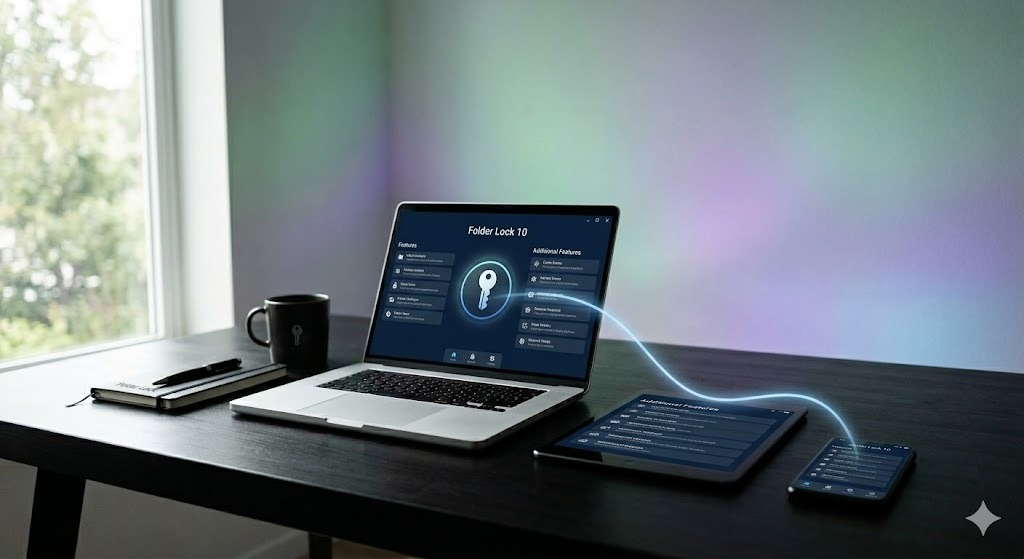
| Area | LUKS1 | LUKS2 |
|---|---|---|
| Compatibility | Useful for older bootloaders and tools | Preferred for current Linux deployments |
| Metadata | Fixed, simpler header structure | More flexible metadata with redundancy features |
| Key derivation | PBKDF2-centric | Supports memory-hard Argon2 variants as well as PBKDF2 |
| Tokens and integrations | Limited | Designed for richer token and enrollment workflows |
| Default choice | Legacy compatibility | New installations unless compatibility requires LUKS1 |
Algorithm names alone do not define security. Mode, key handling, password derivation, sector size, integrity protection, implementation quality and recovery processes all matter.
Very strong for storage encryption with lower key size. Often faster only when hardware acceleration or implementation constraints differ.
A common conservative choice for Linux disk encryption. XTS uses two AES keys, so displayed key-size terminology can be confusing across tools.
Designed for storage devices on CPUs without fast AES instructions. Relevant to some low-power hardware, not a default replacement on modern x86 systems.
Enter a short sample. The visual uses a browser hash only to demonstrate that transformed output looks unrelated. It is not an AES implementation and must not be used to protect real data.
Disk encryption is primarily symmetric: the same secret key material is used for encryption and decryption because symmetric algorithms are efficient for large amounts of data. A passphrase usually does not encrypt every sector directly. Instead, a password-based key derivation function helps unlock a randomly generated volume key.
Asymmetric cryptography uses a public/private key pair and is useful for identity, signatures, key exchange and sharing small secrets. It can help deliver or wrap a disk key, but it is not normally used to encrypt every storage sector.
The traditional zip command’s legacy ZipCrypto protection is not equivalent to modern AES-based encryption. Some alternative ZIP tools and formats support AES extensions, but interoperability varies. For sensitive archives, use a maintained tool and format with documented authenticated encryption, then test extraction on the receiving system.
The strongest cipher cannot compensate for a lost final key, a header stored only on the encrypted disk or a recovery secret copied into the same laptop bag. Design recovery before deployment.
Keep a daily passphrase, a long offline recovery key and, where policy permits, a managed machine-unlock mechanism in separate key slots. Label and document their owners outside the encrypted device.
A header backup can help after accidental metadata damage, but restoring an old header can also restore old key-slot state. Protect the backup like a high-value secret and record which device and date it belongs to.
sudo cryptsetup luksHeaderBackup /dev/sdX1 \
  --header-backup-file luks-header-sdX1-2026-07.img

# Store the file offline and verify its checksum
sha256sum luks-header-sdX1-2026-07.imgAdd a new key, close a noncritical test mapping, reopen with that new key and only then consider retiring the old one. On a system disk, perform recovery testing in a controlled maintenance window with bootable rescue media.
Store recovery material in a password manager, sealed offline record, enterprise key escrow or other approved channel that is not automatically available to anyone holding the device.
Business deployments need documented key custodians, offboarding steps, emergency access approvals, audit records and periodic recovery exercises. A personal passphrase known by one employee is not a business continuity plan.
Modern processors can make AES-XTS overhead modest, but real impact varies with CPU instructions, storage speed, I/O queueing, sector size, workload, kernel, power profile and integrity settings. Test on representative hardware.
This is a planning illustration, not a benchmark. It does not model caching, compression, thermal limits or filesystem behavior.
On an HDD, the drive itself often remains the bottleneck. On a fast NVMe SSD, encryption can reveal CPU, memory or queueing limits that were invisible at lower throughput. Small random I/O can behave differently from large sequential transfers.
Benchmark both encrypted and unencrypted test volumes using the same filesystem, mount options, data size and workload. Avoid benchmarking a production volume with unsafe direct-write settings.
# Read-only device information and active cipher details
lsblk -o NAME,SIZE,ROTA,TYPE,FSTYPE,MOUNTPOINTS
sudo cryptsetup status secure_data
lscpu | grep -i aesReal attacks use dictionaries, patterns, stolen secrets and implementation weaknesses. Entropy estimates are uncertain and this tool is not a security guarantee.
Block-device encryption such as LUKS encrypts filesystem data and metadata inside the mapped volume, including filenames, directory structures and file contents. Information outside the encrypted container can remain visible, including partition sizes, disk model, an unencrypted boot partition, LUKS header fields and approximate used space in some storage layouts.
After the volume is unlocked, the operating system sees normal filesystem metadata. Local administrators, malware or processes with sufficient permission may read it. Disk encryption is a powered-off protection control, not an application sandbox.
Encryption supports compliance, but no regulation is satisfied by checking one disk-encryption box. Scope, risk assessment, access controls, logging, key governance, incident response and evidence all matter.
Current HIPAA Security Rule guidance treats encryption as an addressable implementation specification, which means an organization must assess it and implement it when reasonable and appropriate or document an equivalent measure. Proposed updates may change obligations, so regulated entities should follow current HHS guidance and counsel.
Article 32 names encryption as an example of an appropriate technical measure. The required controls depend on risk, state of the art, cost, context and impact. Key separation and breach-response readiness are as important as enabling LUKS.
PCI DSS requires protection of account data within defined scope, while SOC 2 evaluates controls against selected trust-services criteria. LUKS can protect Linux endpoints and servers at rest, but organizations still need policy, access review, monitoring and recoverability evidence.
NIST standardized ML-KEM for key establishment and ML-DSA and SLH-DSA for digital signatures. The older project names CRYSTALS-Kyber and CRYSTALS-Dilithium remain common in discussion, but the standardized algorithm names are ML-KEM and ML-DSA.
These public-key standards do not replace AES-XTS inside LUKS. Their nearer-term role is protecting key exchange, software signatures, identity and communications against future quantum-capable adversaries.
No reliable public date exists for a cryptographically relevant quantum computer. Large symmetric keys are generally expected to retain substantial security under known quantum search models, while today’s widely used public-key systems face a more direct migration need.
For Linux disk encryption, the practical priorities remain strong passphrases, memory-hard key derivation, secure endpoints, header backups and timely software updates. For long-lived confidential data, inventory where public-key encryption or signatures protect disk-recovery workflows and begin migration planning.
| Tool | Primary scope | Linux system disk | Cross-platform | Graphical workflow | Editorial verdict |
|---|---|---|---|---|---|
| cryptsetup + LUKS2 | Block devices | Yes, distribution integrated | Linux focused | Installer and desktop tools vary | Best native Linux full-disk foundation |
| fscrypt | Directories | No | Linux filesystem dependent | Limited | Best for selective native directory protection |
| VeraCrypt | Containers and volumes | Not the normal Linux boot choice | Yes | Yes | Useful for cross-platform containers |
| age or GnuPG | Files and archives | No | Broad tool support | Third-party front ends | Better for sending or archiving selected files |
| Folder Lock 10 | App-managed encrypted lockers on supported desktop and mobile apps | No | Windows, macOS, Android and iOS ecosystem; no native Linux app listed | Yes | Useful beside LUKS for selected cross-device files, not as Linux encryption software |
| Folder Protect | Windows access control for files, folders, drives, programs and extension groups | No | Windows only | Yes | Useful for in-use restrictions, but it does not encrypt data against offline access |
| Item | Free version | Pro version |
|---|---|---|
| Price shown in the research | $0 | $39.95 |
| Locker capacity | 1 GB | No product-imposed locker cap is listed; physical storage still applies |
| Linked devices | Up to 2 | Up to 5 |
| Typical use | Evaluate the locker and mobile workflow | Use larger lockers and more linked devices |
| Supported product family | Windows, macOS, Android and iOS are described; a native Linux app is not listed | |
| Linux LUKS management | No | No |
The supplied material shows a $39.95 Pro price and uses subscription language elsewhere, but it does not state the billing interval beside the price table. Check the live checkout for renewal terms, taxes and regional conditions before buying.
First decide where the drive must open. A LUKS-encrypted USB is a strong Linux-native option. It is not the easiest choice for clients using ordinary Windows or macOS computers.
Create a LUKS2 container on an empty partition, open it with cryptsetup and place a filesystem on the mapped device. Keep a header backup and at least one offline recovery key.
Use a vetted cross-platform encrypted container or hardware-encrypted drive that the client can open without unsafe drivers. Exchange the password through a separate channel and provide a read-only test package first.
Evaluate independent validation, keypad or biometric design, brute-force controls, tamper behavior, platform support, capacity, warranty and recovery policy. “AES-256” alone does not prove the product is secure.
Yes. Linux can encrypt an entire removable partition with LUKS. Windows can use BitLocker To Go on supported editions, while macOS can create encrypted APFS or compatible disk images. These native formats do not offer universal cross-platform access.
On supported Windows editions, BitLocker To Go is the native route. Folder Lock 10 can create portable lockers, while NewSoftwares also offers USB Secure for password-protection workflows. Keep this page’s Linux focus in mind and test every target device before distribution.
Software-encrypted drives transform sectors or container data through a key derived from a password or recovery secret. Hardware-encrypted drives perform this work in the device controller and may unlock through a keypad, biometric sensor or host application.
Use Disk Utility for Mac-native encrypted storage or choose a cross-platform format when Windows and Linux access are required. Do not select a format only because all systems can read the underlying filesystem; the encryption layer also needs compatible software.

Choose the answer that matches the storage you control.
This guide helps an owner configure, verify and recover authorized encrypted storage. It does not provide methods to bypass passphrases, extract credentials, crack a third party’s container or access leaked files.
When access is lost, use a known passphrase, a valid recovery key, an enrolled TPM or token, an approved enterprise escrow process, or a backup that you own. Without one of these, properly implemented encryption may be intentionally unrecoverable.
0 of 8 completed
Question 1: Which component performs block encryption in the Linux kernel?
| Problem | Likely cause | Safe fix |
|---|---|---|
| Device is busy when closing | A filesystem, shell, process, swap file or container still uses the mapping. | Use findmnt, lsof or fuser to identify users, stop them, unmount, then close. Do not force-close an active filesystem. |
| No key available with this passphrase | Wrong passphrase, keyboard layout, damaged header or wrong device. | Confirm Caps Lock and keyboard layout, verify the LUKS UUID and try another authorized key slot. Avoid repeated scripted guesses. |
| cryptsetup open succeeds but mount fails | Wrong filesystem, damaged filesystem, LVM layer or incorrect mapper path. | Run lsblk -f and blkid. If LVM exists inside, activate it. Use read-only filesystem checks appropriate to the filesystem. |
| System no longer prompts for unlock at boot | Initramfs, crypttab, bootloader or device UUID changed. | Boot approved rescue media, verify UUIDs and rebuild initramfs using your distribution documentation. Keep a copy of the original configuration. |
| TPM auto-unlock stopped after firmware change | Measured boot values changed, so the sealed key no longer releases. | Use the recovery key, verify the change, then re-enroll the TPM token through the supported platform workflow. |
| LUKS header appears damaged | Overwritten sectors, failing media or interrupted metadata operation. | Stop writing, image the device when hardware failure is suspected and consult an experienced recovery professional. Restore a matching header backup only to a copy or with a verified rollback plan. |
| Linux Mint full disk encryption after install | The system was installed without disk encryption. | Back up, verify the backup, reinstall using the installer’s encryption option and restore. In-place conversion carries substantial boot and data-loss risk. |
| Performance is worse than expected | No AES acceleration, small random I/O, old kernel, power limits or stacked storage layers. | Inspect CPU flags and mapping settings, benchmark representative test volumes, update the supported stack and avoid unsupported cipher tuning. |
Try another valid key slot, recovery key, TPM-backed route or approved enterprise escrow. Confirm the keyboard layout and correct device. If no authorized key remains, cryptographic recovery may not be possible. Restore owned data from backup rather than searching for a bypass.
Encrypting immediately before sale is not a substitute for sanitization, because prior plaintext may remain in unallocated areas or flash translation layers. Follow the drive manufacturer’s secure-erase guidance or an accepted media-sanitization standard, verify completion and then reinstall or remove the drive.
These are composite examples, not customer testimonials. They show why the strongest choice changes with the platform and operational need.
A field laptop uses installer-managed LUKS2, an offline recovery key and an encrypted backup. The organization does not depend on one employee’s memory.
A designer shares one client package through a tested cross-platform encrypted container, while the Linux workstation itself remains protected by LUKS.
A mixed office keeps Linux servers on LUKS, Windows system disks on BitLocker and uses Folder Lock only for Windows users who need a guided encrypted-locker workflow.
A remote server uses a documented network-bound or TPM-assisted unlock design with a recovery path, not a plaintext key stored beside the encrypted volume.

Use: LUKS2 full-disk encryption at install.
Alternative: fscrypt only when full-disk reinstallation is impossible and the narrower protection is understood.
Use: LUKS2 with controlled remote, token or TPM unlock and audited recovery.
Alternative: storage-platform encryption when operations require centralized key management.
Use: a tested cross-platform encrypted container or validated hardware drive.
Alternative: separate platform-native disks when clients cannot install software.
Use: BitLocker for Windows system disks. Folder Lock 10 may fit file-locker workflows.
Alternative: enterprise data-loss prevention and managed encryption when policy enforcement is required.
Start with data classification and endpoint scope. Use platform-native full-disk encryption for every managed laptop, a separate approved method for files moving outside managed devices, centralized recovery-key escrow, access logging and encrypted backups. Small teams often need fewer tools but stronger documentation.
For Linux endpoints, LUKS2 is the base layer. For Windows endpoints, BitLocker may be the system layer and Folder Lock 10 may serve a narrower encrypted-locker workflow. Larger organizations usually need centralized policy, identity integration, audit evidence and data-loss prevention rather than stand-alone consumer software alone.
Provider encryption protects the storage service, but the provider may still control keys. Client-side encryption transforms files before upload, which can reduce exposure if an account or provider layer is compromised. It also makes recovery, search, preview and collaboration harder.
Use an encrypted container or file-encryption tool with a documented recovery method. Do not place the only key in the same cloud folder. Keep versioned backups because ransomware can synchronize encrypted or deleted files just as quickly as normal changes.
Use the operating system’s maintained native encryption path, verify CPU acceleration, keep the kernel and firmware current and avoid stacking multiple real-time encryption layers without a reason. On modern hardware, full-disk encryption may have little effect on ordinary work, but fast storage and small random I/O can expose overhead.
Measure with your applications rather than relying on a single sequential benchmark. More importantly, do not weaken key derivation or select an unfamiliar cipher merely to gain a small synthetic speed improvement.
Email security has different layers. TLS protects transport between mail servers when negotiated. End-to-end systems such as OpenPGP or S/MIME protect message content but require identity, certificate or key management. Secure portals can be easier for external recipients but shift trust to the portal provider.
The best fit depends on recipient capability, retention, discovery, mobile access and compliance requirements. LUKS protects a stored mailbox on a powered-off Linux device, but it does not provide end-to-end email encryption after the message leaves that device.
Windows uses BitLocker on supported editions, macOS uses FileVault and Linux distributions commonly use LUKS with dm-crypt. All can integrate with hardware-backed keys and recovery mechanisms, but defaults, edition requirements, boot architecture and administration differ.
Use each platform’s supported native system-disk encryption. Cross-platform file exchange is a separate problem and may require a portable encrypted container, protected archive or hardware-encrypted drive.
Windows uses BitLocker, macOS uses FileVault and Linux commonly uses LUKS with dm-crypt for system volumes. Current Android devices use file-based encryption with metadata encryption, while iPhone and iPad use Apple Data Protection with hardware-backed key hierarchies. These are platform security systems, not interchangeable disk formats.
“Android LUKS” is not a normal user-facing setup path on current phones. Android does not provide a universal desktop-style cryptsetup workflow for encrypting any attached USB drive. Adopted storage and removable-media behavior depend on the Android version and device maker. Use the supported device settings and do not modify mobile partitions with desktop commands.
It is a three-part Linux storage stack. LUKS defines the encrypted-volume format and key slots, cryptsetup manages it from userspace, and dm-crypt performs block encryption in the kernel.
A passphrase or token unlocks a protected volume key stored through a LUKS key slot. Cryptsetup creates a device-mapper mapping, and dm-crypt transparently encrypts writes and decrypts reads between the filesystem and physical storage.
Encryption software transforms readable data into ciphertext using cryptographic keys and provides a controlled way to reverse that transformation. It may protect disks, files, messages, databases or backups.
Full-disk encryption protects blocks across an entire volume, including most filesystem metadata, swap and temporary data. File-level encryption protects selected files or directories and can support different keys, but usually exposes more information about the surrounding system.
It is a mature, widely used architecture when configured through maintained distribution tools, paired with strong keys and supported by tested recovery. It does not protect a running unlocked system from malware or an authorized administrator.
For most Linux system disks, enable LUKS2 through the operating-system installer. Use fscrypt for selected directories and a cross-platform container or hardware drive when the data must move among different operating systems.
Avoid formatting the wrong device, keeping the only recovery key on the encrypted disk, removing the final working key slot, skipping header backups, assuming encryption replaces backups and changing boot or TPM configuration without a recovery key.
Use another valid key slot, recovery key, enrolled token or approved escrow route. If no authorized unlock method exists, properly implemented encryption may make the data unrecoverable. Restore from a backup you own.
There is no single strongest product independent of context. Modern AES-128 or AES-256 used correctly is already extremely strong. Endpoint security, passphrase entropy, key derivation, authenticated design, updates and recovery practices often determine the real outcome.
Not through a legitimate cryptographic shortcut when modern encryption is implemented correctly. Attackers instead target weak passwords, stolen keys, vulnerable endpoints, backups, memory, misconfiguration or implementation flaws.
Often not for routine work on modern hardware with cryptographic acceleration, but impact varies. Fast NVMe storage, low-power CPUs, small random I/O and integrity features can make overhead more visible. Benchmark your workload.
AES is a standardized symmetric block cipher, and 256 refers to the key size. AES-256 is widely selected for conservative security margins and compliance profiles, although correctly implemented AES-128 is also considered strong for many uses.
There is no general AES-256 master key. Investigations may obtain passwords, unlocked devices, cloud copies, recovery records or exploit endpoint weaknesses. Legal powers and procedures vary by jurisdiction.
Yes. Use LUKS2 for Linux-only use, a platform-native tool for one operating system, a tested cross-platform encrypted container, or a validated hardware-encrypted drive. Back up first because formatting may erase the device.
Software encryption transforms data through the host CPU and an encrypted format. Hardware-encrypted drives use an onboard controller and may unlock through a keypad, biometric reader or supported application. Both require a secure key and recovery design.
It can be. Security depends on design, review, maintenance, build integrity, defaults, deployment and key management. Open source improves inspectability but does not guarantee that a particular build or configuration is safe.
It is a set of tools and processes that protects company disks, files, backups and transfers while preserving authorized recovery. A small business should prioritize native full-disk encryption, managed recovery keys, encrypted backups and a clear offboarding procedure.
The supplied product material describes Windows, macOS, Android and iOS editions but does not list a Linux client. Use LUKS2 and cryptsetup for Linux disks, and consider Folder Lock only on supported companion devices.
Its main function is Windows access control. It can hide items, block opening, prevent modification or prevent deletion, but those controls should not be represented as encryption against an attacker who can remove or copy the storage.
The supplied Lite material describes a reduced Windows edition with folder locking and explicitly separates it from the encryption features of the full product. It is therefore not suitable for a Linux encryption recommendation.
Do not assume universal access. A current portable-locker walkthrough in the supplied material says Folder Lock must be installed on the destination computer. Test the exact file, app version, operating system and recovery credentials before a handoff.
LUKS is a Linux block-encryption format used below the filesystem. Folder Lock is an application that manages selected encrypted files on its supported platforms. They protect different layers and can coexist without replacing one another.
For Linux full-disk encryption, use LUKS2 through your distribution’s supported installer. cryptsetup manages the volume and dm-crypt performs the actual block encryption. Keep a strong passphrase, at least one separate recovery path, an encrypted offline header backup and a restore-tested backup of the data itself.
Use fscrypt when only selected directories need protection. Choose a cross-platform container or validated hardware drive for removable media shared with non-Linux users. Folder Lock 10 is a reasonable Windows companion for users who value a guided encrypted-locker workflow, but it is not Linux encryption software and should never be presented as a replacement for LUKS.